How To Create QR Codes in Google Sheets Using Formulas

In this tutorial, you’ll learn how to create QR Codes in Google Sheets using formulas. And how to transfer them to Google Docs and Google Slides using Apps Script.

A QR code is a type of matrix barcode.

Barcodes and QR codes are optical labels that are machine-readable and link to information about items or products.

They’re ubiquitous today. You see them everywhere, from restaurant menus to packaging labels.

In this post, we’ll look at how to create fully-functional QR codes in Google Sheets.
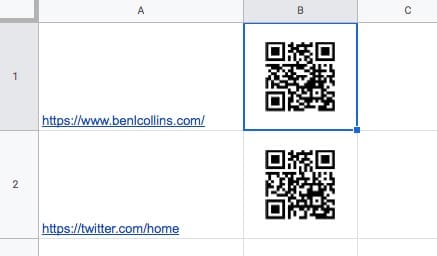
QR Codes In Google Sheets
Continue reading How To Create QR Codes in Google Sheets Using Formulas
How I Used Google Forms, AI, and Apps Script Automation to Analyze 1,700 Survey Responses

This post describes how I designed and ran an audience survey with over 1,700 responses, using Google Forms, Sheets, Apps Script, and ChatGPT. I’ll show you the entire process from end-to-end, including how I:

  1. Created a survey with Google Forms
  2. Used Apps Script to automatically say thank you to 1,700 respondents
  3. Analyzed the response data in Google Sheets
  4. Used AI to help me understand the qualitative data
  5. Presented the results in Google Docs

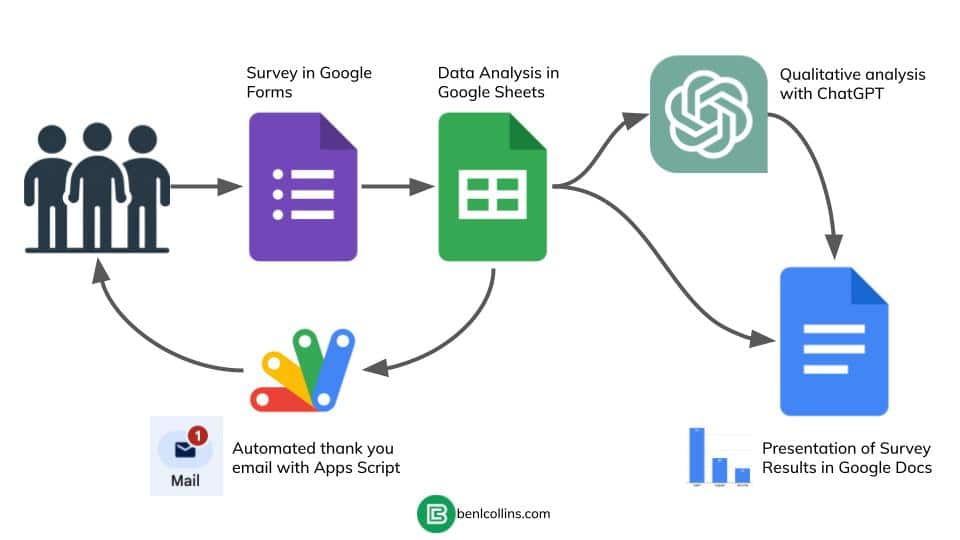
This flowchart shows how the system is set up:

Survey Flow Chart
Continue reading How I Used Google Forms, AI, and Apps Script Automation to Analyze 1,700 Survey Responses

The LEN Function in Google Sheets

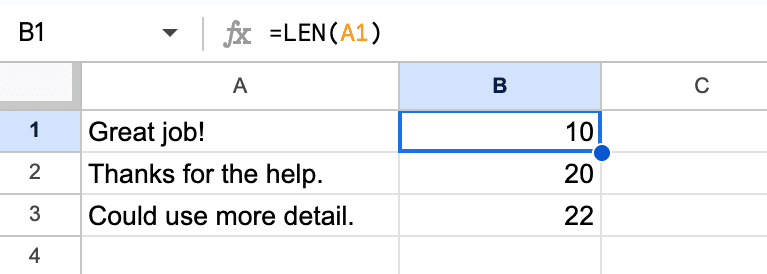
The LEN function in Google Sheets is a simple but useful function that counts the number of characters in a given string.

Basic LEN Function Google Sheets

If you’re working with text data in spreadsheets then you’re likely to use the LEN function. It becomes particularly powerful when combined with other functions to manipulate and analyze strings.

🔗 Grab the LEN template at the bottom of this article.

Continue reading The LEN Function in Google Sheets

The ROMAN Function in Google Sheets

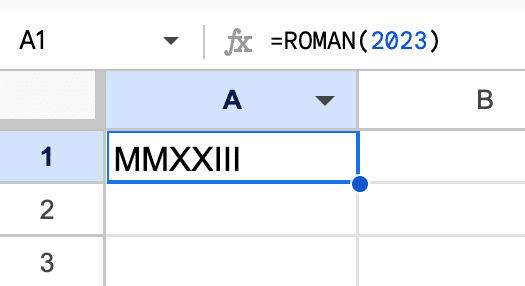
The ROMAN function in Google Sheets converts numbers into Roman numerals.

This function is particularly useful for those interested in presenting numbers in a classical style, whether for educational, historical, or aesthetic purposes.

Simple Roman Formula

🔗 Grab the template at the bottom of this article.

Continue reading The ROMAN Function in Google Sheets

Three Ways To Use AI Tools With Google Sheets

AI course for Google Sheets

Although AI has been around for decades, it’s only really been available to the public in its current form for the past year or so. And with the rise of these generative AI tools, like ChatGPT and Google Bard, AI is more accessible than ever.

But where does AI fit with Google Sheets?

And how do we use AI tools with Google Sheets?

In this post we’re going to look at how to use the most popular AI tools with Google Sheets. You’ll see how easy it is get started and learn that AI isn’t rocket science. It’s simply another useful tool that can save you time when you work with Google Sheets.

Specifically, we’ll look at three ways to use AI tools with Google Sheets:

  1. Chatbots like ChatGPT or Bard
  2. Google Sheets Add-Ons
  3. Via the API and Apps Script (advanced)

Continue reading Three Ways To Use AI Tools With Google Sheets