Blog

How To Get Fathom Analytics Data Into Google Sheets, Using Apps Script

In this post, we’re going to create a tool that calls the Fathom Analytics API and pastes website traffic data into Google Sheets:
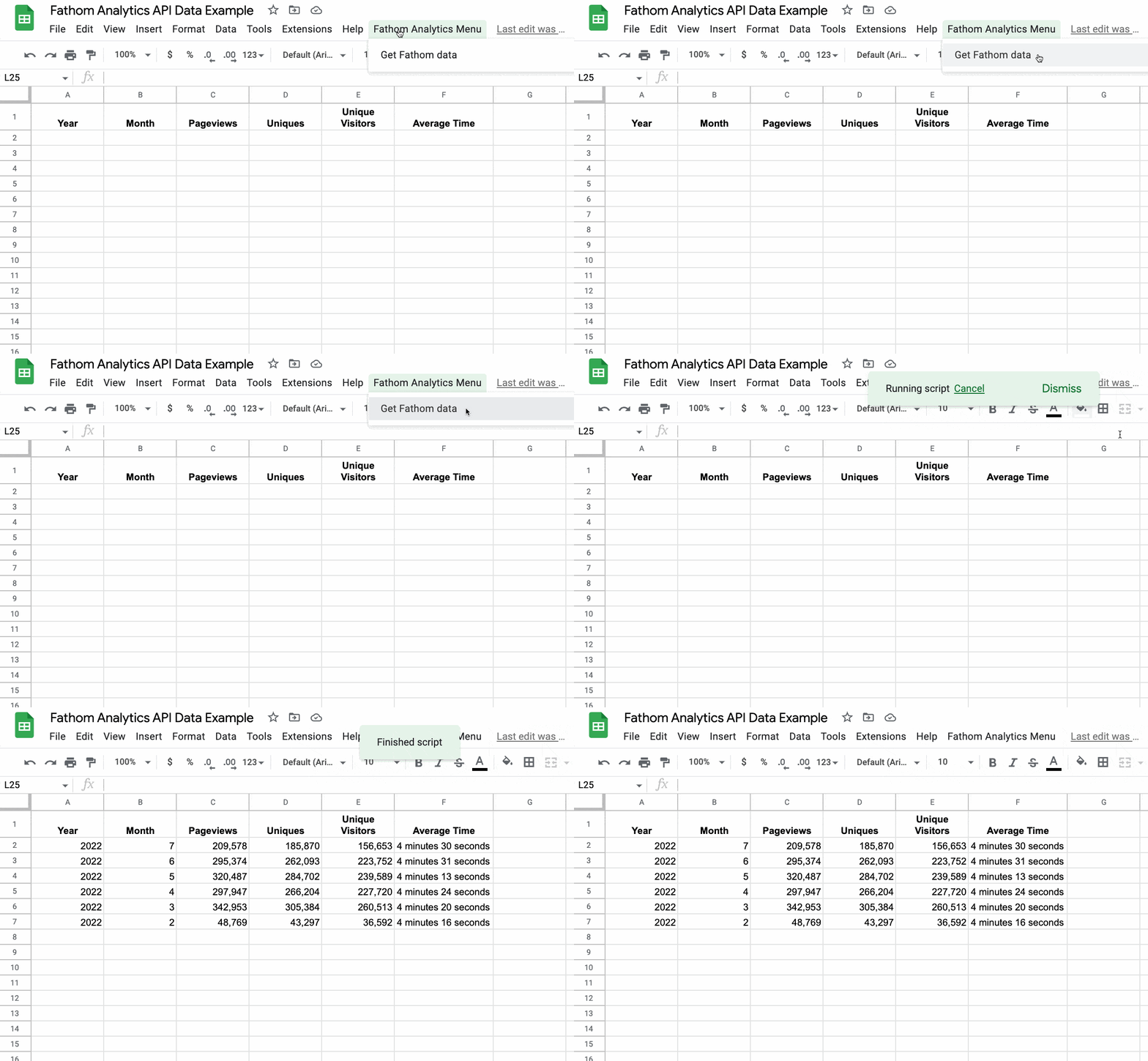
Get Fathom Site Data

But first, a quick backstory:

Earlier this year (2022), Google announced the sunsetting of the old implementation of Google Analytics, in favor of GA4.

At the time I was running the old Google Analytics software, implemented through Google Tag Manager (along with Facebook’s pixel tracker).

It was time for me to update my web analytics software.

But I didn’t want to just shove GA4 into my existing tag manager setup. From what I’d heard, GA4 was difficult to use and way overblown for my needs.

Also, I really wanted to remove the dependency on Tag Manager from my site, because it’s too complex for my use case and I’m not particularly familiar with it. Plus, it’s been years since I’ve used the Facebook analytics pixel so I wanted to get rid of that too. I wanted to improve my site speed, and removing all this javascript would help with that goal.

So I cast around for alternative analytics software and landed on Fathom.

Fathom Analytics is a lightweight, easy-to-use, privacy-focused analytics software that is perfect for my website.

It was ridiculously easy to set up and I’ve been delighted with how easy it is to use. I jump in and can quickly see everything I need to know for my website:
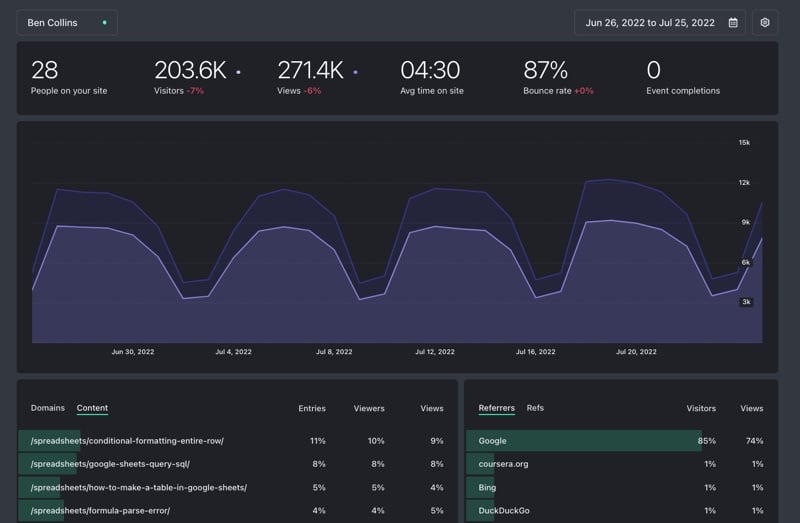
Fathom Analytics Dashboard

Continue reading How To Get Fathom Analytics Data Into Google Sheets, Using Apps Script

How To Connect To The Teachable API With Apps Script

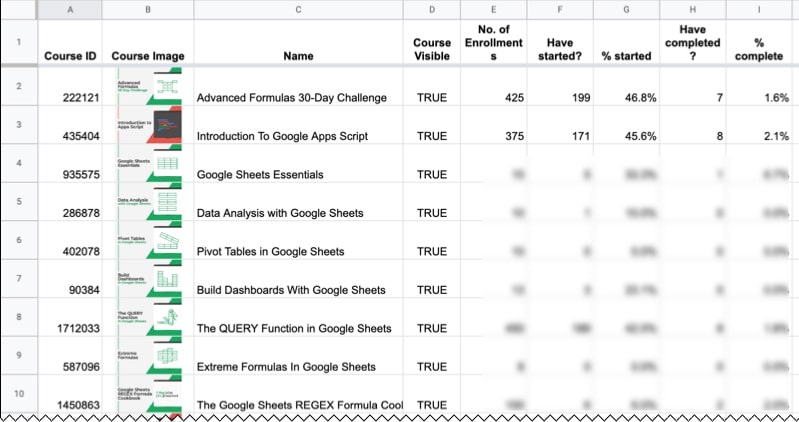
This post explores how to connect to the Teachable API using Apps Script. You can use this setup to return data about your online courses and show it in Google Sheets.

For example, here’s a running 30-day window into the enrollment, engagement, and completion rates of my online courses:

Teachable Data In A Google Sheet

As a creator, it’s super useful to see these sorts of insights. They inform your future strategy and help identify areas of the business to improve. The standard Teachable dashboard is very limited and doesn’t show you this kind of information.

So let’s see how to connect to the Teachable API and create custom data reports.
Continue reading How To Connect To The Teachable API With Apps Script

How To Use The TRIM Function In Google Sheets To Clean Your Data

The TRIM function in Google Sheets removes unwanted spaces around text.

Trim Function Example In Google Sheets

TRIM removes the leading, trailing, and repeated spaces in the text values in column A.

The formula is:

=TRIM(A2)

🔗 Get this example and others in the template at the bottom of this article.

Continue reading How To Use The TRIM Function In Google Sheets To Clean Your Data

Create Barcodes In Google Sheets In 2 Easy Steps
║█║▌║█║▌│║▌║▌█║

Barcodes are visual representations of numbers and strings.

Typically they represent numbers that link back to records in a database storing valuable information about a product.

They’re easy for machines to scan and are ubiquitous in stores and warehouses around the world.

Learn how to create barcodes in Google Sheets in this post, with a simple 2-step process.
Continue reading Create Barcodes In Google Sheets In 2 Easy Steps
║█║▌║█║▌│║▌║▌█║